
jMeter
The Apache JMeterTM is pure Java open source software, which was first developed by Stefano
Mazzocchi of the Apache Software Foundation, designed to load test functional behavior and
measure performance. You can use JMeter to analyze and measure the performance of web
application or variety of services. Performance Testing means testing a web application against heavy
load, multiple and concurrent user traffic. JMeter originally is used for testing Web Application or
FTP application. Nowadays, it is used for functional test, database server test etc.
JMeter simulates a group of users sending requests to a target server, and return
statistics information of target server .
Advantages of Jmeter
Friendly GUI: JMeter is extremely easy to use and doesn’t take time to get familiar with it
Open source license: JMeter is totally free, allows developer use the source code for the
development
Platform independent: JMeter is 100% pure Java desktop application. So it can run on
multiple platforms
Full multi-threading framework. JMeter allows concurrent and simultaneous sampling of
different functions by a separate thread group
Visualize Test Result: Test result can be display in a different format such as chart, table,
tree and log file
Easy installation: You just copy and run the *.bat file to run JMeter. No installation needed.
Highly Extensible: You can write your own tests. JMeter also supports visualization plugins
allow you extend your testing
Multiple testing strategy: JMeter supports many testing strategies such as Load Testing,
Distributed Testing, and Functional Testing.
Simulation: JMeter can simulate multiple users with concurrent threads, create a heavy load
against web application under test
Support multi-protocol: JMeter does not only support web application testing, but also
evaluate database server performance. All basic protocols such as HTTP, JDBC, LDAP,
SOAP, JMS, and FTP are supported by JMeter
Record & Playback – Record the user activity on the browser and simulate them in web
application using JMeter
Script Test: Jmeter can be integrated with Bean Shell & Selenium for automated testing.
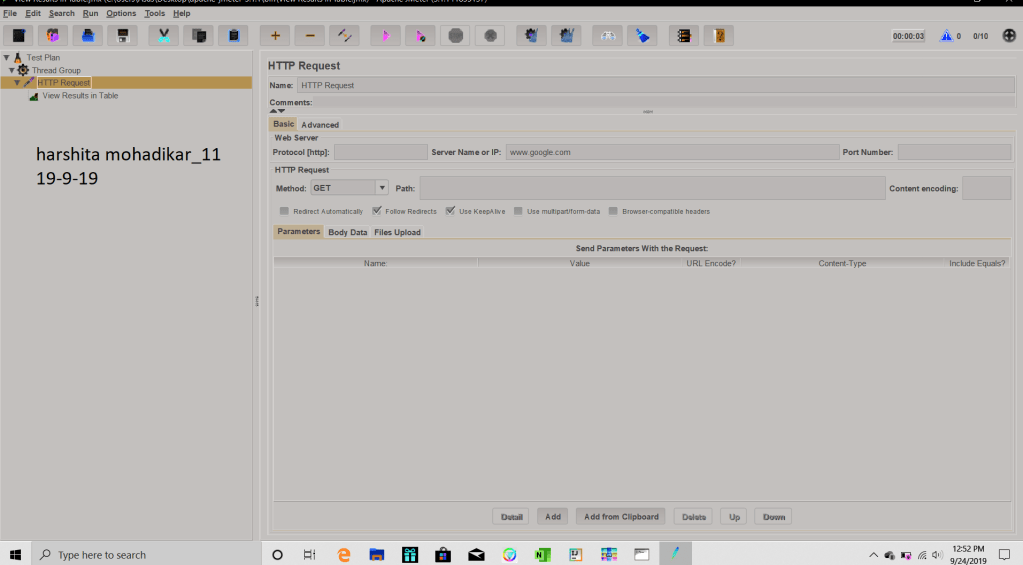
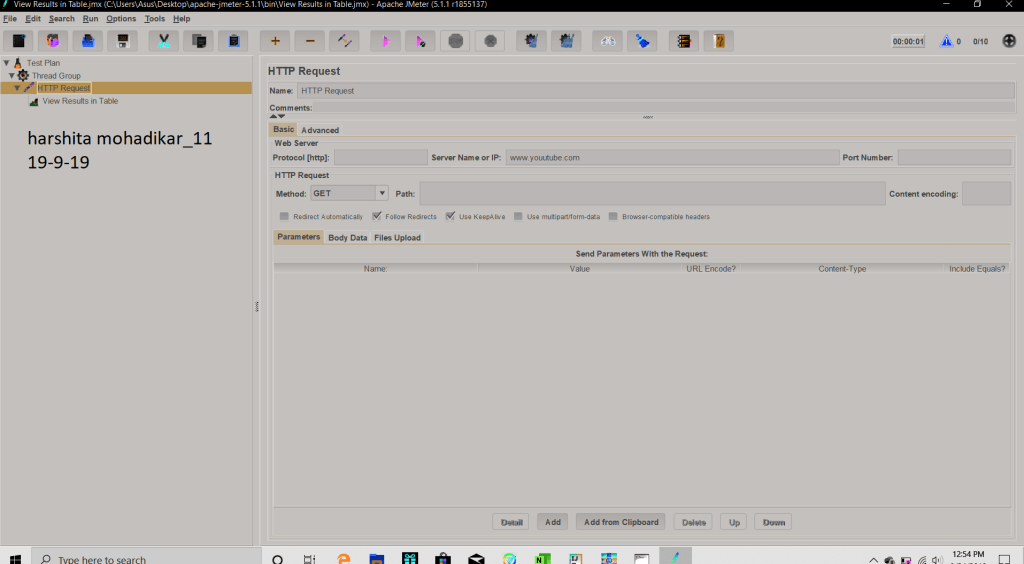
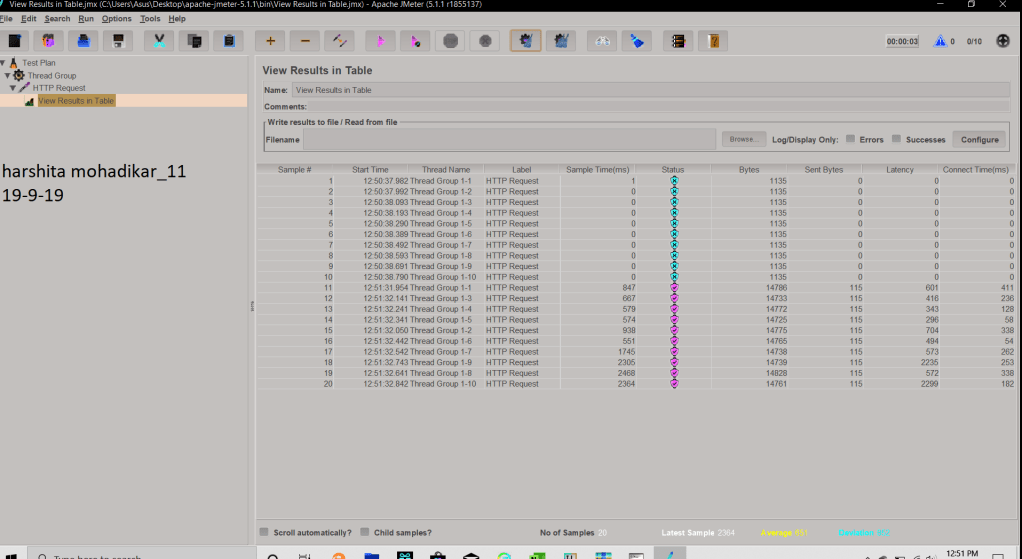
output link- https://drive.google.com/open?id=1tF83VW7DsAZN22KofUhRbdvuFNPIftMx
2. https://drive.google.com/open?id=1Waa1hLxurEMQvfo8tcImRwhQMpjFJwM5
3. https://drive.google.com/open?id=1BwXnM7EXZeAIRGsm3Zo-1TqDDym-jHiO
What is Test Case?
A Test Case is a set of actions executed to verify a particular feature or functionality of your software
application.
Now, consider the Test Scenario Check Login Functionality there many possible cases like
Test Case 1: Check results on entering valid User Id & Password
Test Case 2: Check results on entering Invalid User ID & Password
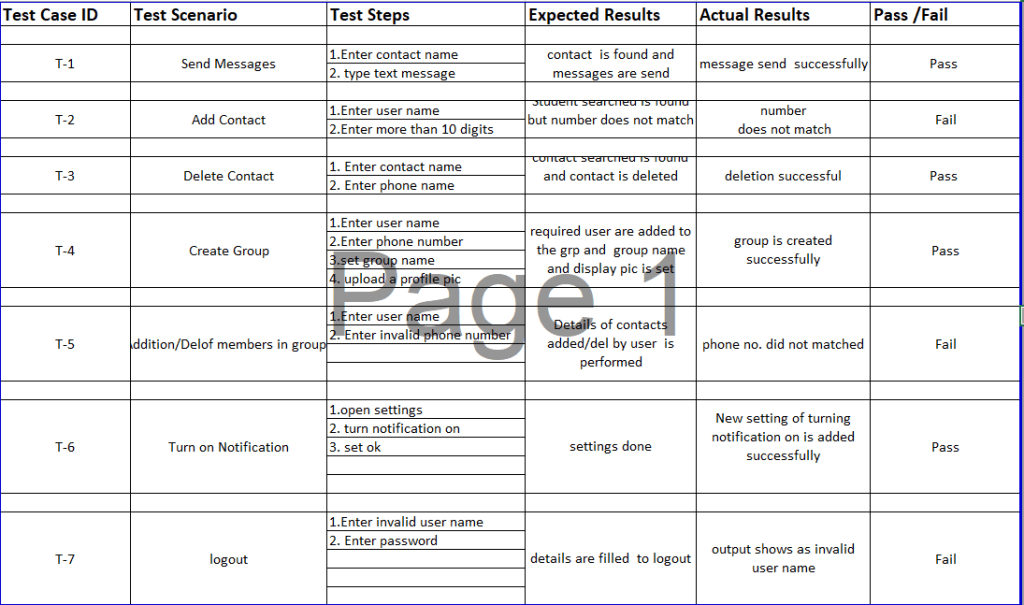
LINK- https://drive.google.com/open?id=16diHRl_rxsH9eSAALMPaohh8gEvd_o4w
 TechBuddy